SITL
Using ProSim version matching
When using ProSim, the running prompts are as follows:
Waiting for connect PX4
Check whether the current PX4 version matches the ProSim version. You can check it by entering the following command in the MAVlink Shell of QGS:
ver all
SITL
1. Emulator timestamp alignment
Problem
pxh> INFO  [lockstep_scheduler] setting initial absolute time to 2900000 us
ERROR [vehicle_imu] 0 - gyro 1310988 timestamp error timestamp_sample: 0, previous timestamp_sample: 0
ERROR [vehicle_imu] 0 - accel 1310988 timestamp error timestamp_sample: 0, previous timestamp_sample: 0
Solution
Reference link: https://blog.csdn.net/2401_83038233/article/details/149101727
Enter the PX4 -Autopilot directory (PX4 source code directory) and enter the following command to start the simulation:
make px4_sitl gz_x500
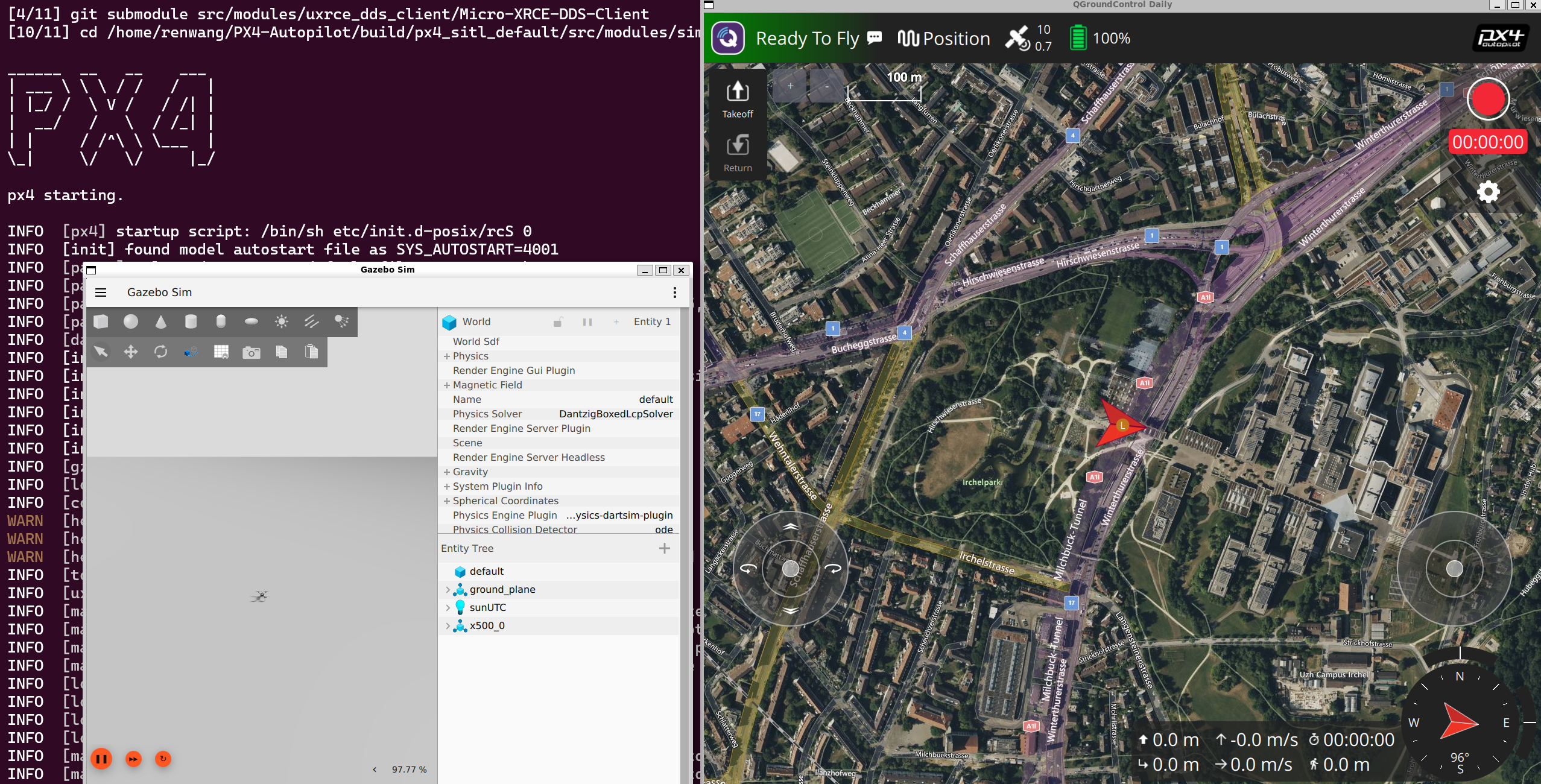
PX4 and Gazebo are started, QGC is connected to PX4 normally, and PX4 in Gazebo can be controlled through QGC's virtual joystick:
The following error message appears shortly after the simulation:
In fact, the core error should be:
ERROR [vehicle_imu] 0 - gyro 1310988 timestamp error timestamp_sample: 1110864000, previous timestamp_samplERROR [vehicle_imu] 0 - accel 1310988 timestamp error timestamp_sample: 1110864000, previous timestamp_samp
We can find out from the error that this is an error related to time synchronization, or in other words, it is related to timestamp alignment.
In the latest version of PX4 source code, there is a noteworthy section in the build file CMakeLists:
if(${PX4_PLATFORM} STREQUAL "posix")

    if(ENABLE_LOCKSTEP_SCHEDULER)

        add_definitions(-DENABLE_LOCKSTEP_SCHEDULER)

        message(STATUS "PX4 lockstep: enabled")

    else()

        message(STATUS "PX4 lockstep: disabled")

    endif()

endif()
This is the fundamental idea for solving our problem. The code is explained as follows:
锁步调度器(Lockstep Scheduler)是 PX4 在仿真环境(如 SITL)下的一种特殊调度方式,可以让 PX4 的运行速度和仿真器(如 Gazebo)的仿真步进严格同步,保证仿真和飞控之间不会有时间漂移。这对于自动化测试和高精度仿真非常重要。


可以通过 \\`-DENABLE_LOCKSTEP_SCHEDULER=ON\\` 控制启用锁步调度器。
So in fact this is caused by the simulation time not being strictly synchronized, and the startup instruction becomes as follows:
make px4_sitl gz_x500 EXTRA_CMAKE_ARGS="-DENABLE_LOCKSTEP_SCHEDULER=ON"
You can also write variables into environment variables. If you are looking for a long-term solution, I will not elaborate on this here.
测试环境:Ubuntu22.04,WSL2,ROS2 Humble,PX4 V1.16.0
In fact, we will also find that the error is eliminated at the same time:
Error: Interrupted system call
The effect is as follows:
Welcome to exchange and supplement! PX4 from giving up to mastering (Part 25): EKF2
Reference
https://github.com/PX4/PX4-Autopilot/issues/25106 https://discuss.px4.io/t/px4-sitl-multi-vehicle-gazebo-imu-timing-errors/33268/2 https://blog.csdn.net/2401_83038233/article/details/149101727